From My Growth Marketing Playbook:
How Snov.io Keeps Outreach Clean and Organized
I’ve worked in growth marketing for years, running campaigns across different channels and testing every tool that promises to make outreach more efficient. Some platforms are great for finding leads but weak at managing them. Others focus on CRM but leave you paying for separate tools just to verify emails or run campaigns.
Snov.io caught my attention because it combines several functions I rely on daily: a simple CRM, email verification, and prospecting tools. After using it in real campaigns, I can say it’s one of the more balanced platforms for small and mid-sized teams that need to keep pipelines clean and outreach structured without enterprise-level costs.
Why CRM and Email Verification Matter in Growth Marketing
When you’re driving growth, two challenges come up over and over
Managing relationships at scale
It’s easy to lose track of leads across spreadsheets and inboxes. Without a structured system, follow-ups fall through and pipeline visibility disappears.
Protecting deliverability
Outreach fails if emails land in spam or bounce back. Even a well-crafted sequence underperforms if the list quality is poor.
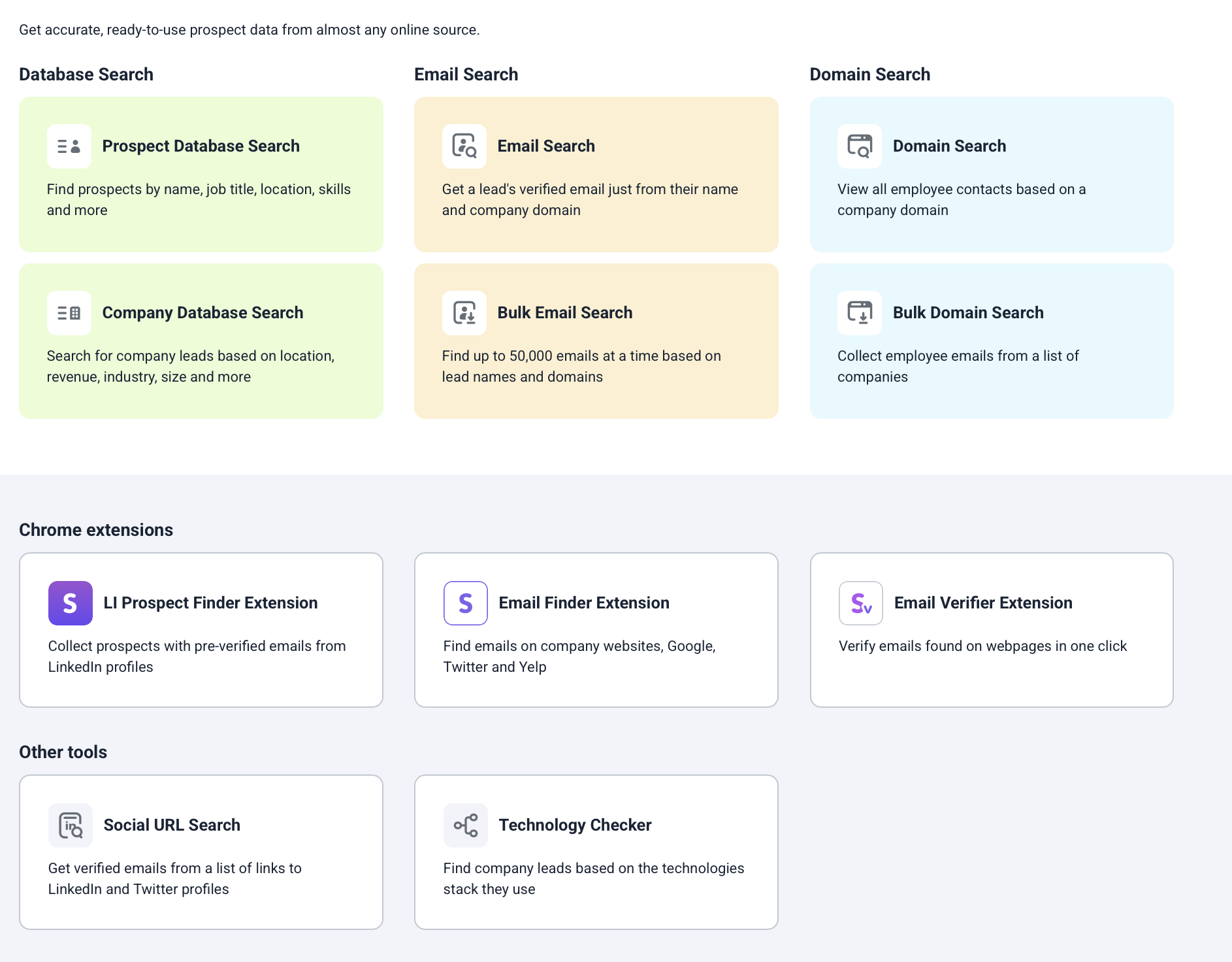
That’s why I pay attention to CRM systems and verification tools more than any flashy feature. They aren’t glamorous, but they decide whether campaigns generate real pipeline or waste budget. Snov.io handles both in a single environment, which makes a difference in daily workflows.
How I’ve Used Snov.io’s CRM
The CRM inside Snov.io is lighter than Salesforce or HubSpot, but that’s not a weakness. It’s designed around outreach campaigns, which fits how I and many growth teams work.
Pipelines you can customize
I set up multiple pipelines for different campaigns—like one targeting SaaS founders and another for education clients. Stages are easy to adjust, and the drag-and-drop interface makes it quick to move leads along.
Contact records with context
Each lead can have notes, tags, and company info attached. Because the CRM ties directly into Snov’s prospecting tools, I don’t have to import or update contacts manually.
Email integration
I connected my email account so outreach logs automatically. No need to bounce between Gmail and the CRM. It keeps the history tied to the contact, which saves time when picking up conversations weeks later.
Tasks and reminders
I used this to stay on top of manual follow-ups. For high-value leads, I’d assign myself a call or note to check in at specific stages.
Automation triggers
When a prospect replied, Snov.io could automatically move them to a new stage. That small automation saved me hours of manual sorting.
Segmenting leads
I created tags and custom fields to segment contacts by industry, region, or campaign source. This made it easier to run targeted sequences and measure performance differences between segments without building separate spreadsheets.
My Take on Snov.io’s Email Verification
I’ve learned the hard way that sending to unverified lists kills deliverability. A few bad lists with high bounce rates, and suddenly your emails land in spam across the board.
Syntax errors (typos, missing @ signs)
Domain validity (whether the domain exists)
MX record checks (if the mail server is set up correctly)
SMTP responses (pings the server to confirm the inbox is active)
Catch-all detection (flags risky domains that accept any email)
Snov.io’s verification has been one of the most reliable I’ve tested. It checks for:
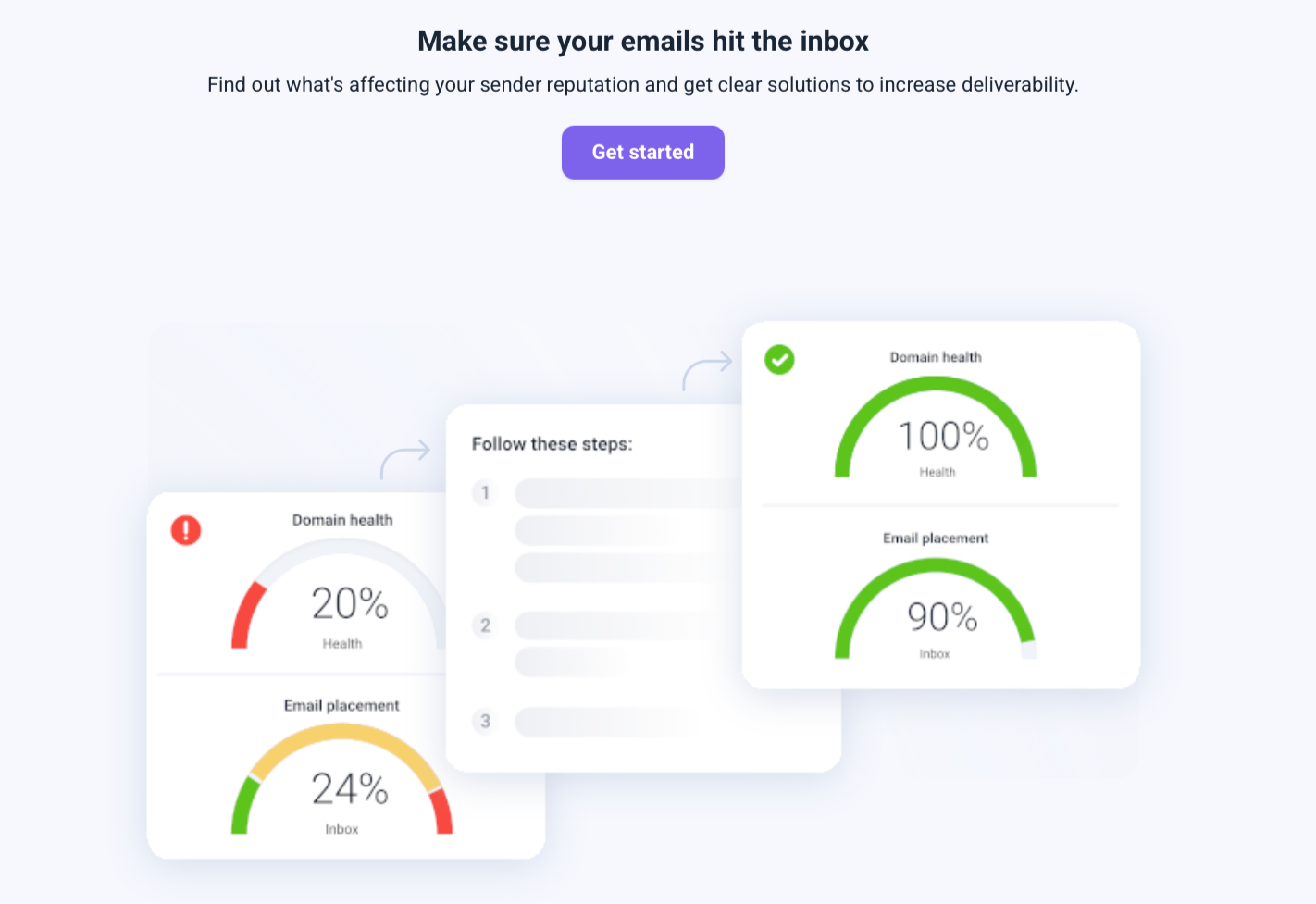
Bounce rates dropped: After cleaning lists through Snov.io, my bounce rates went from around 7-8% to under 2%. That difference improved deliverability across all campaigns.
Inbox placement improved: Verified lists meant more emails landing in the primary inbox instead of spam.
Credits used efficiently: I only paid for valid emails, not junk. That lowered sending costs with my ESP.
Confidence in outreach: I didn’t waste time second-guessing list quality.
What I Noticed in Campaigns since using Snov
The biggest advantage is that verification is built in. When I found new leads, I could verify them instantly without exporting to another tool. That saved me steps and reduced human error.
How CRM and Verification Work Together
When I used to run separate CRMs and verifiers, the pain points were clear:
Exporting and reimporting lists created formatting errors.
Data got stale during transfers.
Reporting was split across tools.
Snov.io avoids those issues by keeping the workflow in one place. Add in API access for custom integrations, and it fits neatly into larger stacks if you need it to.
Technical Advantages Over Using Separate Tools
From my experience, Snov.io is a strong fit for:
Startups: You get a CRM and verification without enterprise pricing.
Agencies: Multiple pipelines help manage different client projects.
Freelancers and consultants: Easy setup without paying for extra tools.
B2B sales teams: Verification keeps outreach reliable and protects sender reputation.
It’s less suited for big corporations that need advanced reporting, cross-department collaboration, or deep integrations. But for lean teams focused on pipeline growth, it’s spot on.
Pricing From My Perspective
Snov.io’s credit system means you only pay for what you use—finding or verifying emails, sending, etc. Since the CRM is included, you don’t add another subscription fee.
When I compared costs to my previous stack (a standalone CRM plus a verifier plus an outreach tool), Snov.io came out cheaper while covering the same needs.
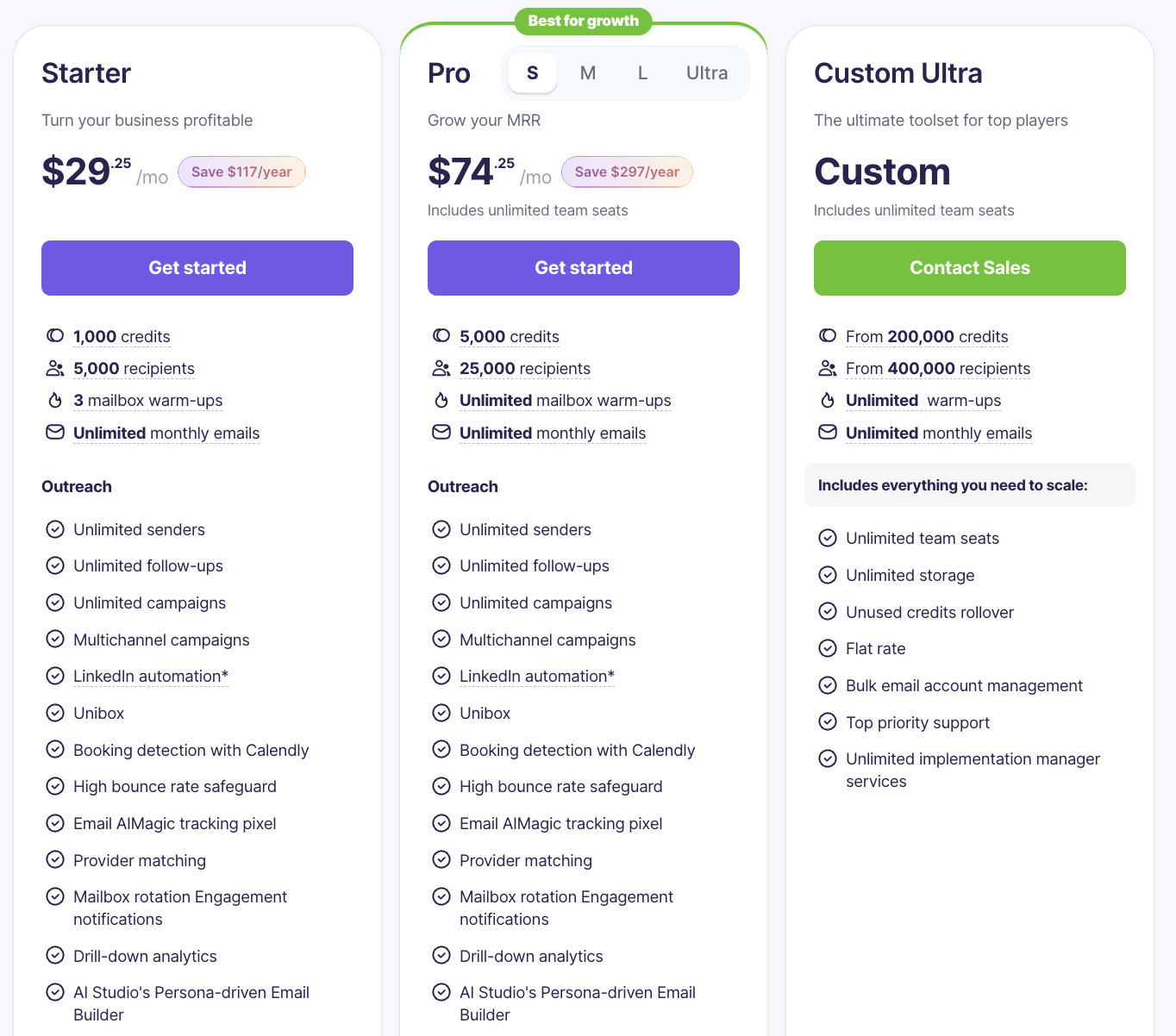
Annual Pricing as of September 2025
How I Onboarded With Snov.io
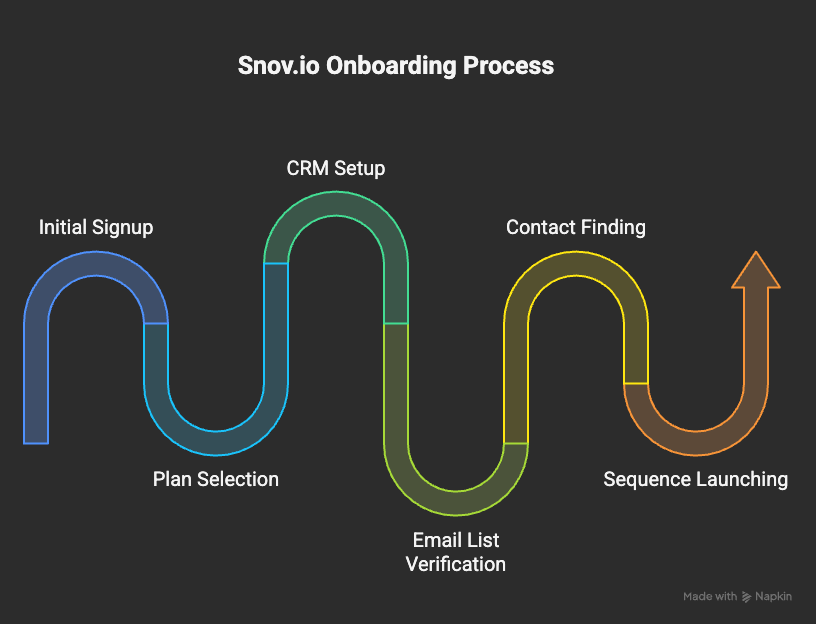
Signed up and chose a plan with enough credits for my first campaign.
Built a pipeline in the CRM and connected my Gmail account.
Verified my existing email list to clean it up.
Used the email finder to add new contacts and verified them instantly.
Launched sequences from inside the CRM and tracked replies.
Limitations I Noticed
It won’t replace Salesforce for enterprise teams. Reporting is simpler and less customizable.
If you need deep marketing automation (multi-channel campaigns, advanced workflows), you’ll still need another tool.
The credit system means heavy users must upgrade faster, though it’s still cost-effective compared to multiple tools.
For my growth marketing work, those weren’t deal-breakers. In fact, the simplicity was a benefit.
Final Verdict From My Experience
Snov.io has earned a place in my toolkit because it solves two unglamorous but critical problems: organizing outreach through a simple CRM and keeping email lists verified.
The CRM helps me and my teams stay organized without overcomplicating things. The verification protects deliverability, which directly improves results. And because it’s all-in-one, I spend less time on admin work and more time on strategy and messaging.
If you’re in growth marketing, sales, or running lean campaigns, Snov.io is worth a serious look. It gives you practical features without bloat and makes it easier to run clean, efficient outreach.